

Your first virtual network
A virtual machine needs a virtual network to talk to anything. The quickest first network is an External Network: virtual machines connect straight to the physical network the hosts are cabled to, like any other machine on that network.
This works out of the box: during installation each host attaches its network interface to a bridge that serves the default network fabric, provider, and a host added to QvDC is registered with QvDC's network controller automatically. You can check both in the dashboard under Networking → Networking, tab Hosts: each host lists its uplink (for example eth0 → br-ex) and OVN chassis connected.
For isolated networks that span hosts (Overlay Network) and tagged VLANs (VLAN Network), see Networking.
Prerequisites
- Your hosts are added to QvDC and show Ready (see Add hosts to QvDC).
- The subnet (for example
192.0.2.0/24) and gateway of the physical network the hosts are connected to.
Create an external network
In the dashboard, open Networking → Networking, tab Virtual Networks, and click New network. The Create Virtual Network dialog opens.
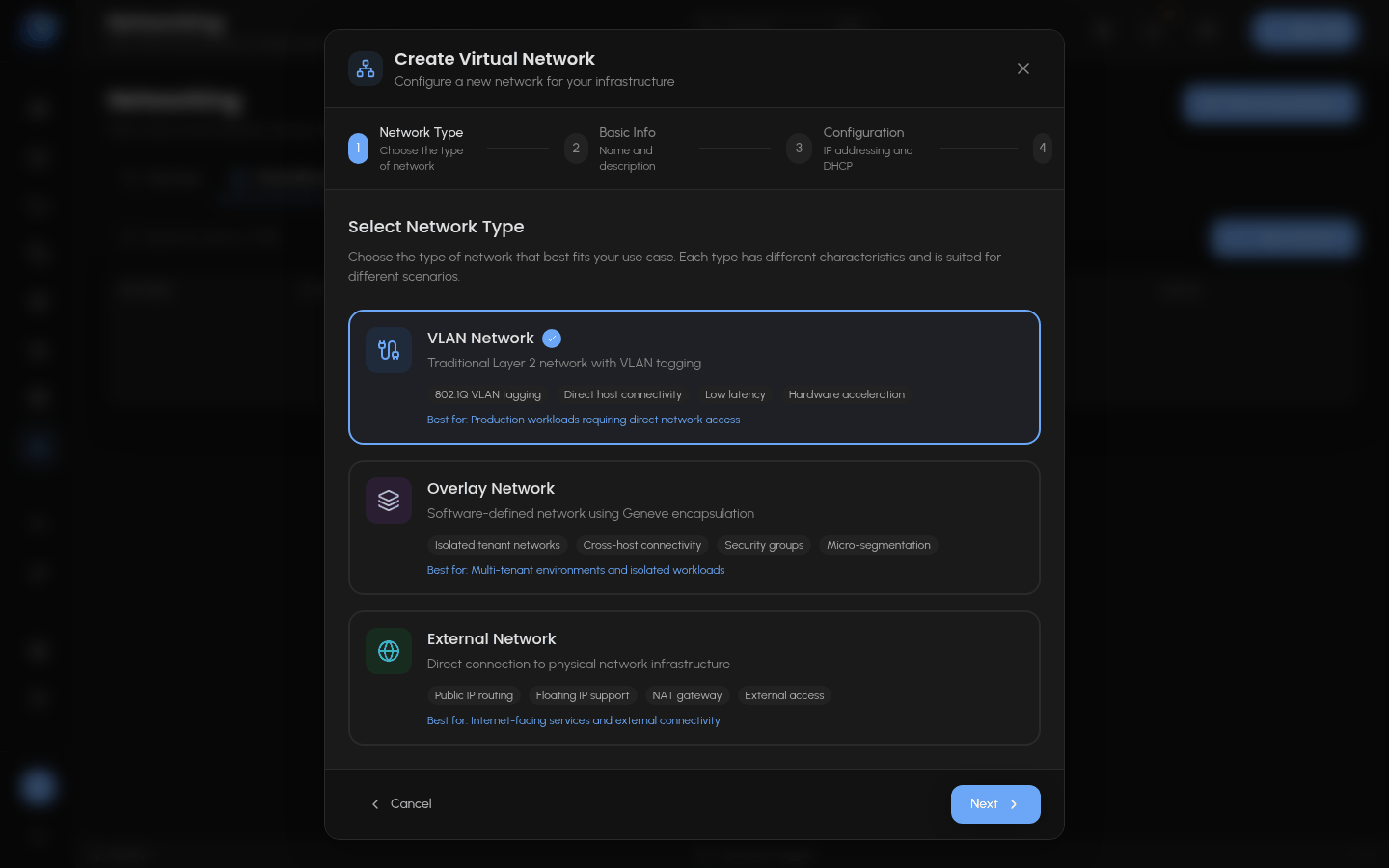
Network Type — VLAN Network is selected at first; choose External Network and click Next.
Basic Info — enter a Network Name (up to 64 characters; it must be unique) and an optional Description. Click Next.
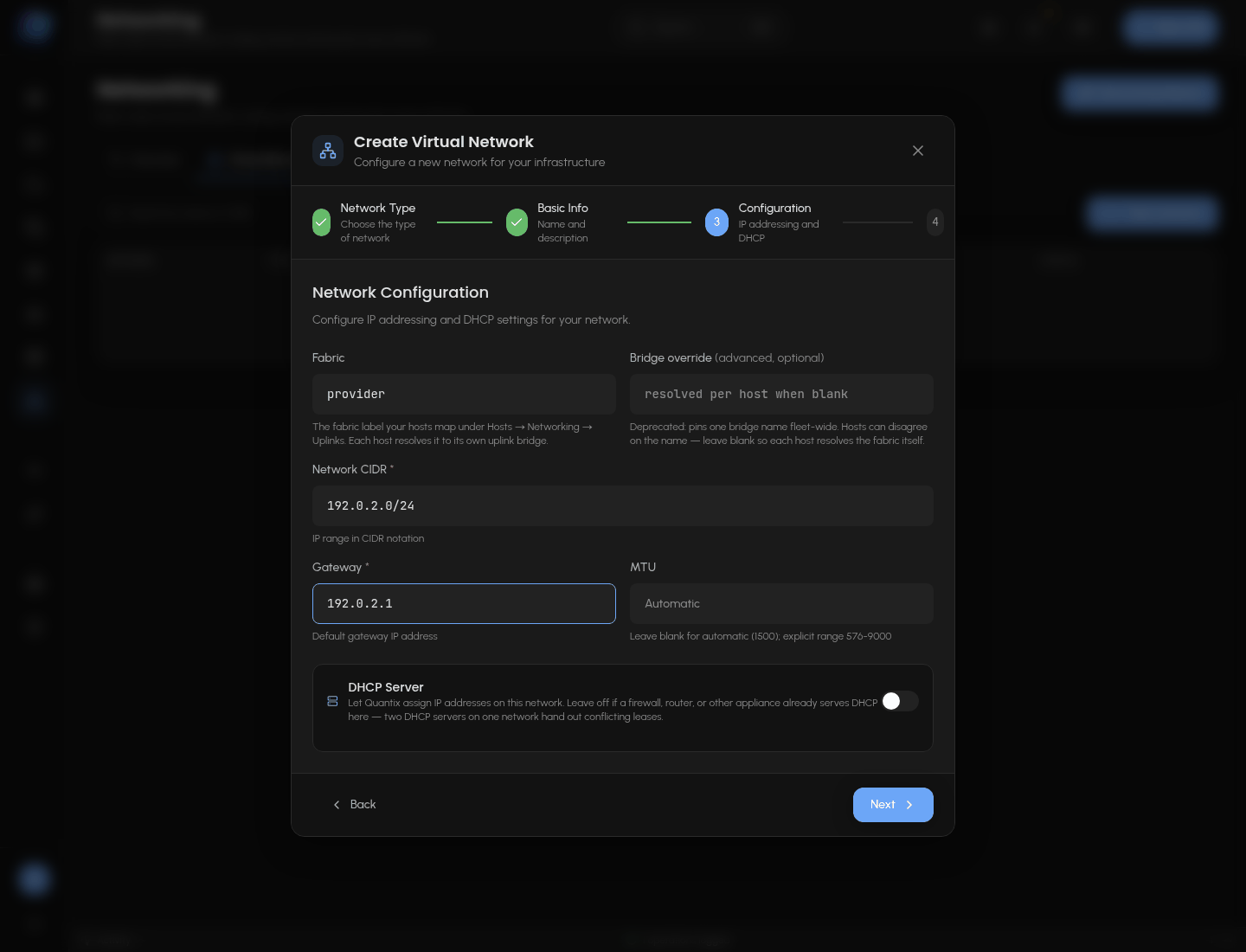
Configuration — keep Fabric at
providerand leave Bridge override empty. Enter the Network CIDR of the physical network and its Gateway. Leave MTU empty for the default.Leave DHCP Server off when a router, firewall or other server already hands out addresses on that network — two DHCP servers on one network hand out conflicting leases. Click Next.
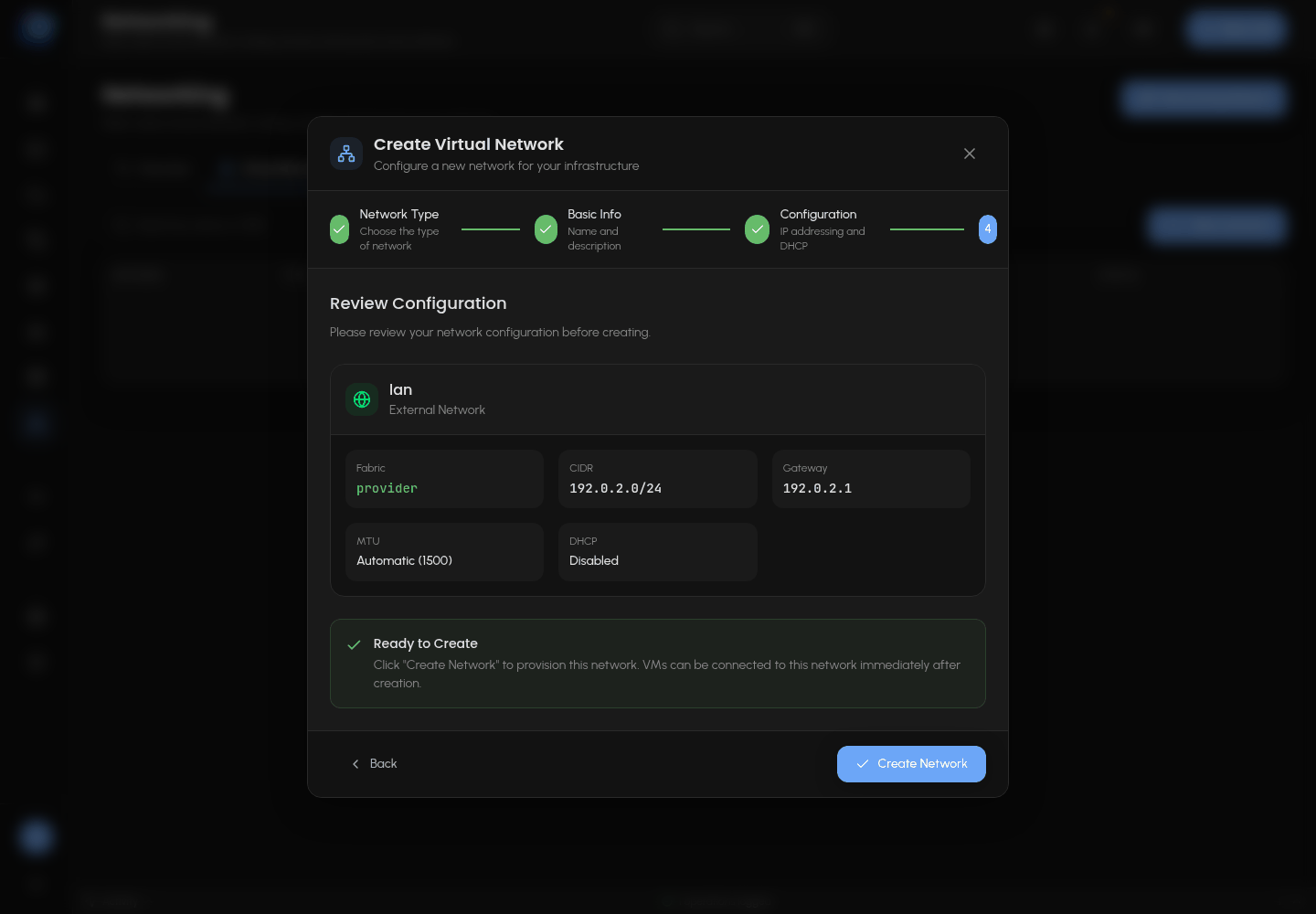
Review — check the settings and click Create Network.
Expected result
The network appears on Virtual Networks with its type, CIDR and gateway and the status READY. It is offered when you choose a network for a virtual machine.
Troubleshooting
| Symptom | What to do |
|---|---|
| Next is refused on Configuration | Check the message under the field: the CIDR must be written as address/prefix (for example 192.0.2.0/24) and the gateway must be an IPv4 address. |
| Failed to create network | Common causes: a gateway outside the network CIDR, a CIDR that is not the network address (192.0.2.0/24, not 192.0.2.5/24), or a name that exists already (names are unique). Go Back and correct it. |
| A host is missing from the Hosts tab, or shows no uplink | Check that the host is Ready under Inventory → Hosts. |