

VLAN networks
A VLAN network puts VMs on one VLAN of your physical network. Their traffic leaves each host through the host's uplink NIC, tagged with the network's VLAN ID (802.1Q), so the VMs share that VLAN with your physical machines — same subnet, same gateway, same DHCP server.
Use a VLAN network when VMs must sit on a segment you already run: a server VLAN, a DMZ, a storage or management network.
Before you start
- Each host that will run VMs on the network has an uplink bridge with a physical NIC attached (see Host networking).
- The switch port each uplink NIC is cabled to is a trunk that carries the VLAN.
- You know the VLAN ID, the subnet and the gateway of that VLAN, and whether a DHCP server already serves it.
Create a VLAN network
Go to Networking → Virtual Networks and click New network.
Choose VLAN Network and click Next.
Enter a Network Name and, optionally, a Description. Click Next.
On Configuration:
- VLAN ID — the 802.1Q tag, 1–4094;
- Fabric — leave the default,
provider. Each host sends the network out through the bridge it binds to this fabric (its uplink bridge). For another fabric, map it on every host first; - Network CIDR and Gateway — the VLAN's existing subnet and router address;
- MTU — leave blank for 1500, or enter the MTU your VLAN uses (576–9000);
- DHCP Server — leave it off. VMs on a VLAN network are bridged straight onto your VLAN, so they get their addresses from the DHCP server that already serves it, or from static configuration.
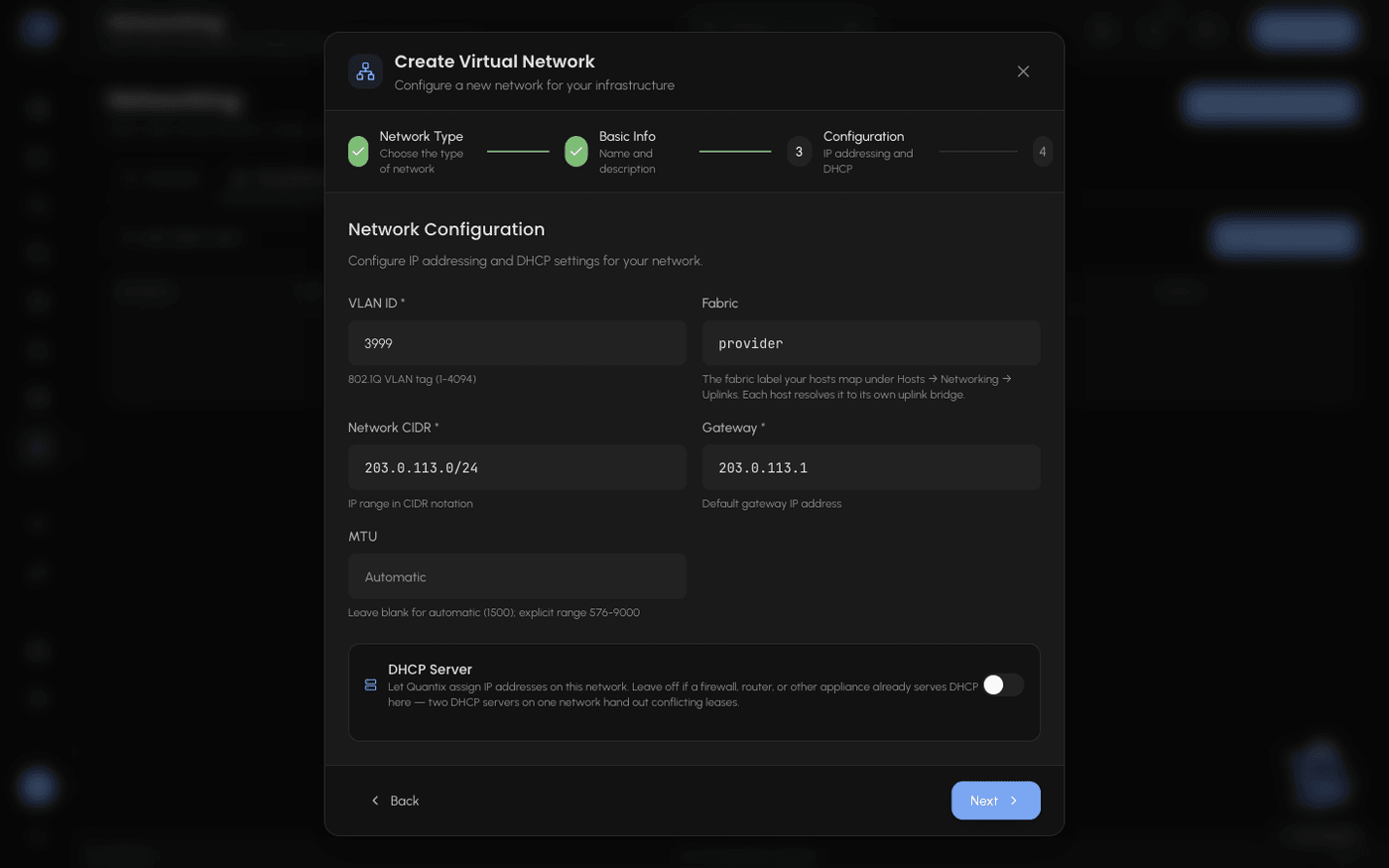
Click Next, check the summary, and click Create Network.
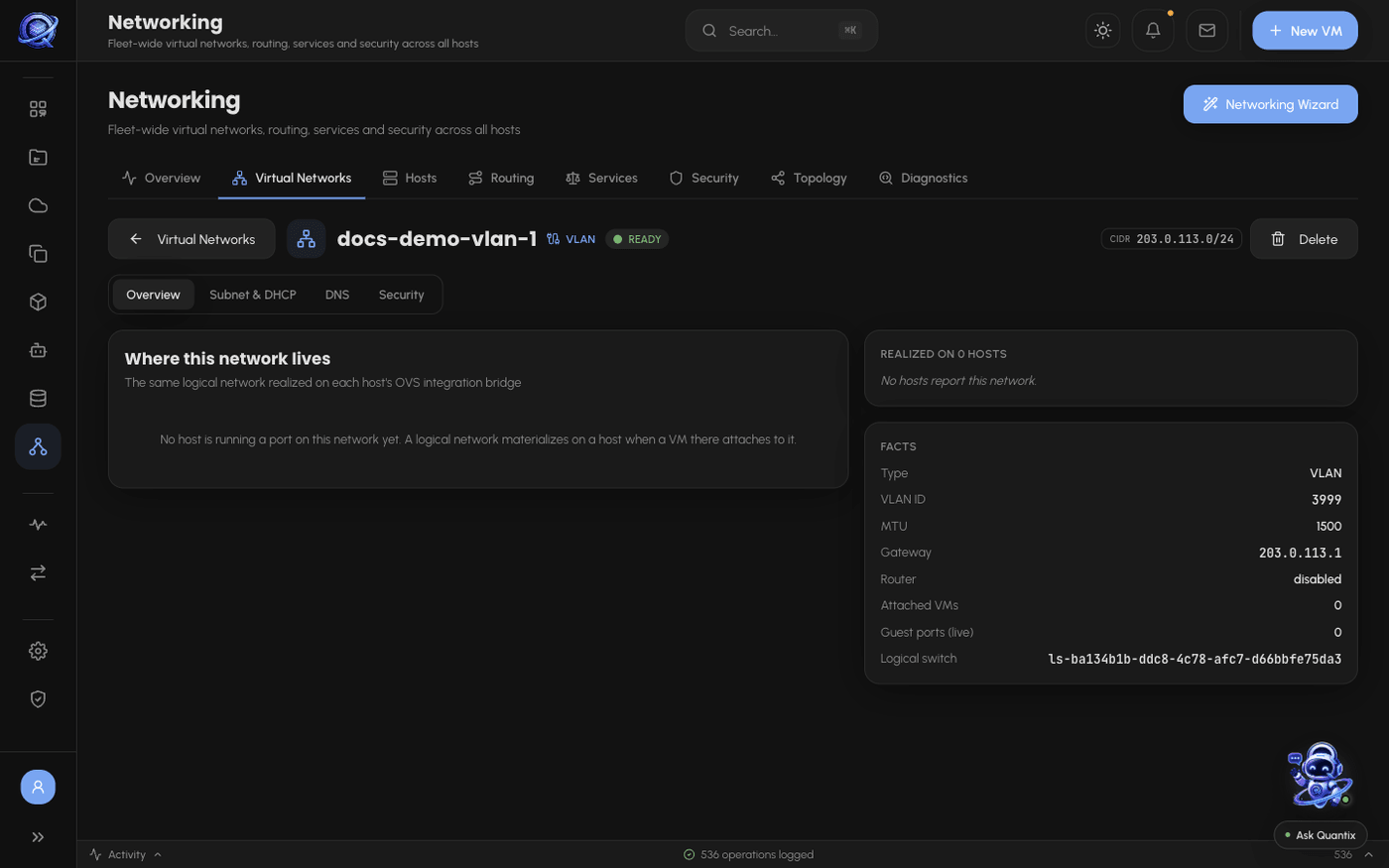
Expected result: the network is listed with type VLAN and status READY. The network's Overview → Facts show the VLAN ID.
The Networking Wizard can also create a VLAN network and prepare the hosts' uplinks in the same flow (see Set up networking with the wizard).
Things to know
- VM adapters on a VLAN network are bridged directly to the host's uplink. Security groups are not enforced on them — use your physical firewall for these segments — and addressing comes from your network, not from Quantix.
- A VM can only run on hosts that have an uplink bridge for the network's fabric. Keep the uplink wiring the same on every host so VMs can move between them.
Troubleshooting
| Symptom | What to do |
|---|---|
| VLAN ID is required for VLAN networks / VLAN ID must be between 1 and 4094 | Enter a valid VLAN tag. |
| A VM does not start, with a message that the network needs fabric '…' on host '…', which does not map it | Bind the fabric on that host under Hosts → the host → Network → Advanced → Fabric bindings (see Map a fabric to a bridge). If the host has no uplink bridge at all, set its uplink first. |
| VMs get no address or cannot reach the gateway | Check that the host's switch port is a trunk carrying this VLAN ID, and that the VLAN ID on the network matches your switch configuration. |