

Log forwarding
Admin Panel → System → Log forwarding sends the records QvDC produces to your own syslog collector or SIEM as they happen:
- Audit trail — who did what: sign-ins, and every create, update and delete;
- Alerts — raised and escalated alerts, at their own severity;
- VM events — power, migrate, snapshot and delete, per VM.
Changes apply when you save, without a restart. The status above Collectors describes the saved configuration; Unsaved changes identifies a draft. Refresh reads the saved state without applying your edits.
Prerequisites
- An account with the admin base role.
- A syslog collector that QvDC can reach over TCP or UDP. Records use the RFC 5424 syslog format with the facility
local0; the message part is a list ofkey=valuepairs.
Add a collector
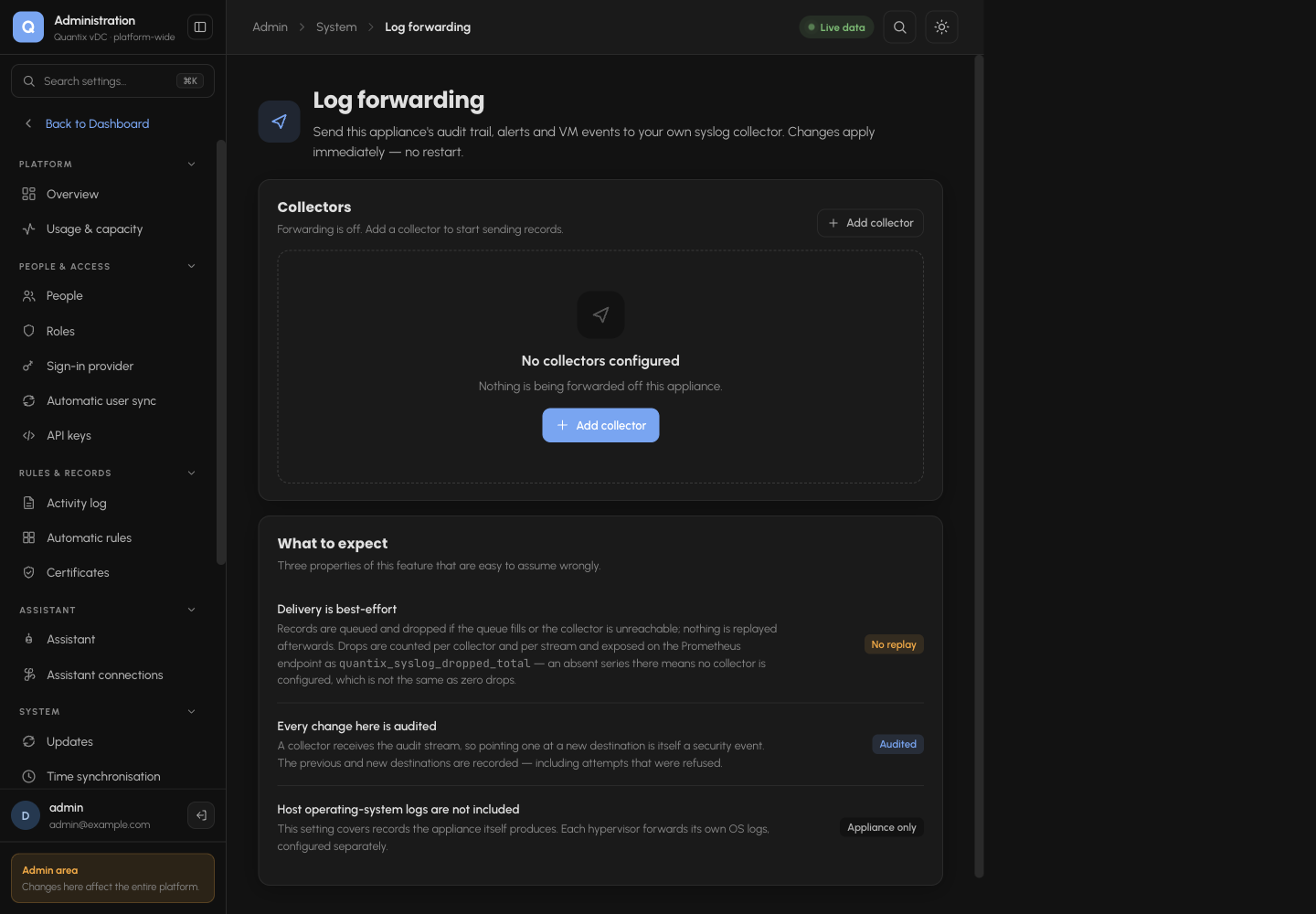
- Go to Admin Panel → System → Log forwarding and click Add collector.
- Enter the Destination hostname (a host name or IP address, for example
siem.example.com), the Port (514 by default) and the Transport, TCP or UDP. - Tick the streams this collector receives: Audit trail, Alerts and/or VM events.
- Click Save collectors.
Expected result: Saved and applied. QvDC saves the list and starts forwarding the streams you chose; if nothing arrives, see Troubleshooting. You can add up to 4 collectors, each with its own streams. Discard changes throws away edits you have not saved.
What will be sent previews the selected event types for the collector you are editing. Its example records are illustrative, not live events or a delivery test. If you have several collectors, use Preview collector to switch between them.
Remove a collector or stop forwarding
Select Remove collector on the collector to remove it from the draft list, then click Save collectors. Removing the last collector leaves the save controls available; forwarding stops only after the empty list is saved. Discard changes restores the last saved list.
Prefer TCP, especially for the audit trail: UDP is unencrypted and gives no delivery signal, so a lost record cannot be told apart from a delivered one. Neither transport is encrypted by QvDC.
What to expect
- Delivery is best-effort. Records are queued, and dropped if the queue fills up or the collector cannot be reached. Nothing is replayed later.
- Every change here is audited. Pointing a collector at a new destination is itself a security event, so the old and new destinations are recorded in the Activity log — including attempts that were refused.
- Host operating-system logs are not included. This page covers the records QvDC itself produces.
Forward logs from a QHCI host
The QHCI host Log forwarding page configures that host’s operating-system logs separately. Forwarding status shows its saved target and running options. Not reported means the host did not report its configuration; it does not mean forwarding is off.
Enter Collector host and Port, then choose Save to replace the saved destination. Stop forwarding removes that destination. Local logs are retained either way. QHCI supports one plaintext UDP target, without TLS or delivery confirmation. Forwarding begins after syslog starts; the earliest boot messages remain local. Refresh reads the current configuration without saving the form.
Troubleshooting
"Choose at least one stream, or this collector receives nothing." — tick at least one of Audit trail, Alerts or VM events.
"This collector is already listed above." — each address, port and transport combination can be added only once.
Nothing arrives at the collector — check that your firewall allows QvDC to reach the collector on the chosen port and transport, and that the collector listens on that transport.