

Virtual networks
A virtual network is what a VM's network adapter connects to. It has a type (Overlay, VLAN or External), a subnet and a gateway, and optionally a DHCP service run by Quantix. You manage all of them on Networking → Virtual Networks.
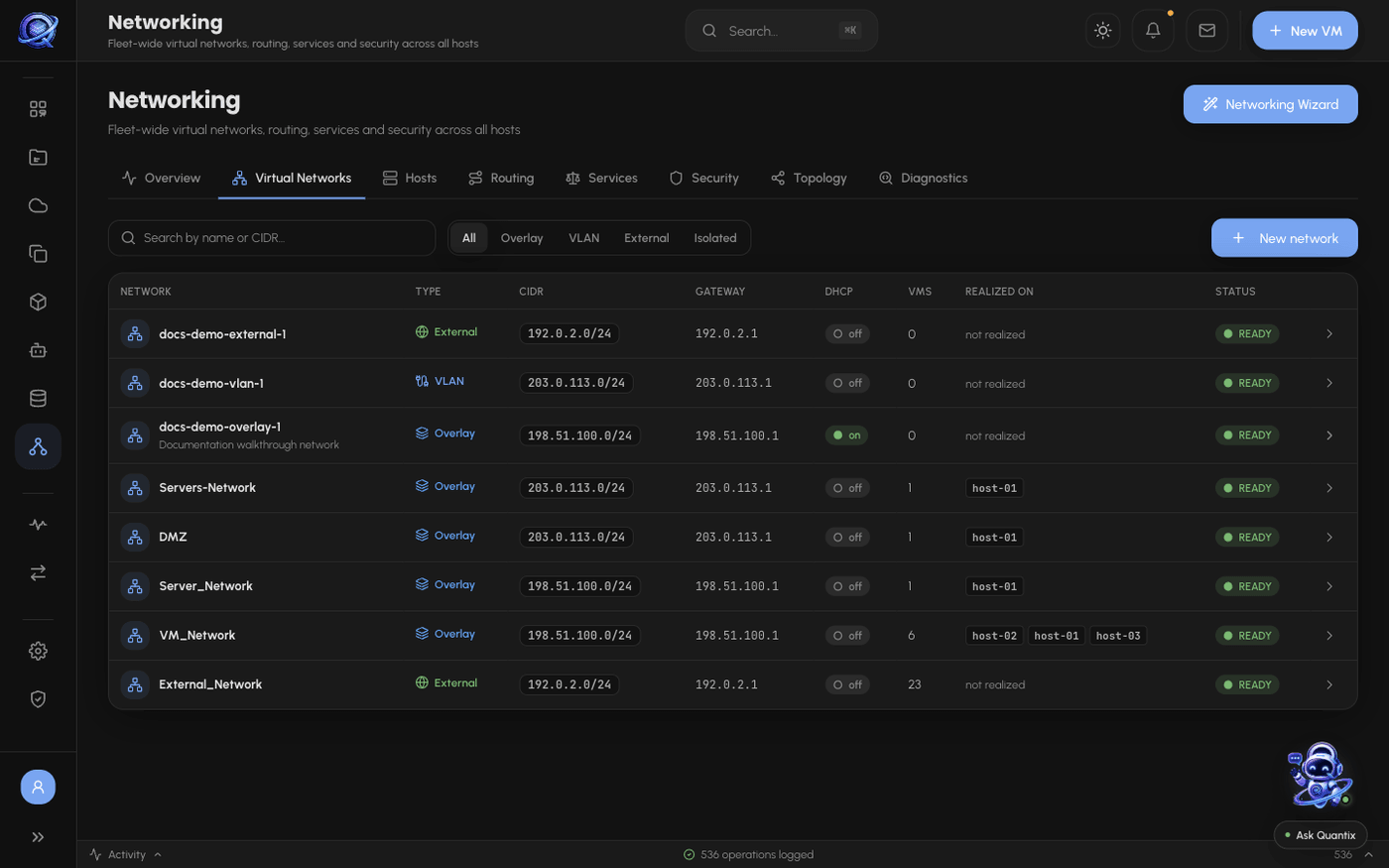
The list shows each network's Type, CIDR, Gateway, whether Quantix DHCP is on, how many VMs use it, which hosts it is Realized on, and its Status. Filter by type with All, Overlay, VLAN and External, or search by name or CIDR.
A newly saved network stays PENDING until connected hosts have confirmed they can carry it. Its status names the hosts it is waiting for. You can save the configuration while hosts are offline; it becomes READY after their confirmation arrives. The list refreshes while a network is pending. A host that is connected but not ready to run VMs (for example, its overlay network controller is down) does not hold the network back. It refuses VM starts itself until it recovers.
If creation reports network still being applied, the configuration has already been saved. Keep the network identified in the message and refresh its status. Retrying the same name and configuration resumes that network rather than creating another one. Wait for READY before starting a VM on it.
Before you start
- A user with the admin, operator or System administrator role. Deleting a network needs admin or System administrator.
- For a VLAN or External network, hosts with an uplink bridge (see Host networking). For an overlay network, hosts registered as OVN chassis. The Networking Wizard prepares both.
Create a network
Go to Networking → Virtual Networks and click New network. The Create Virtual Network dialog opens with four steps.
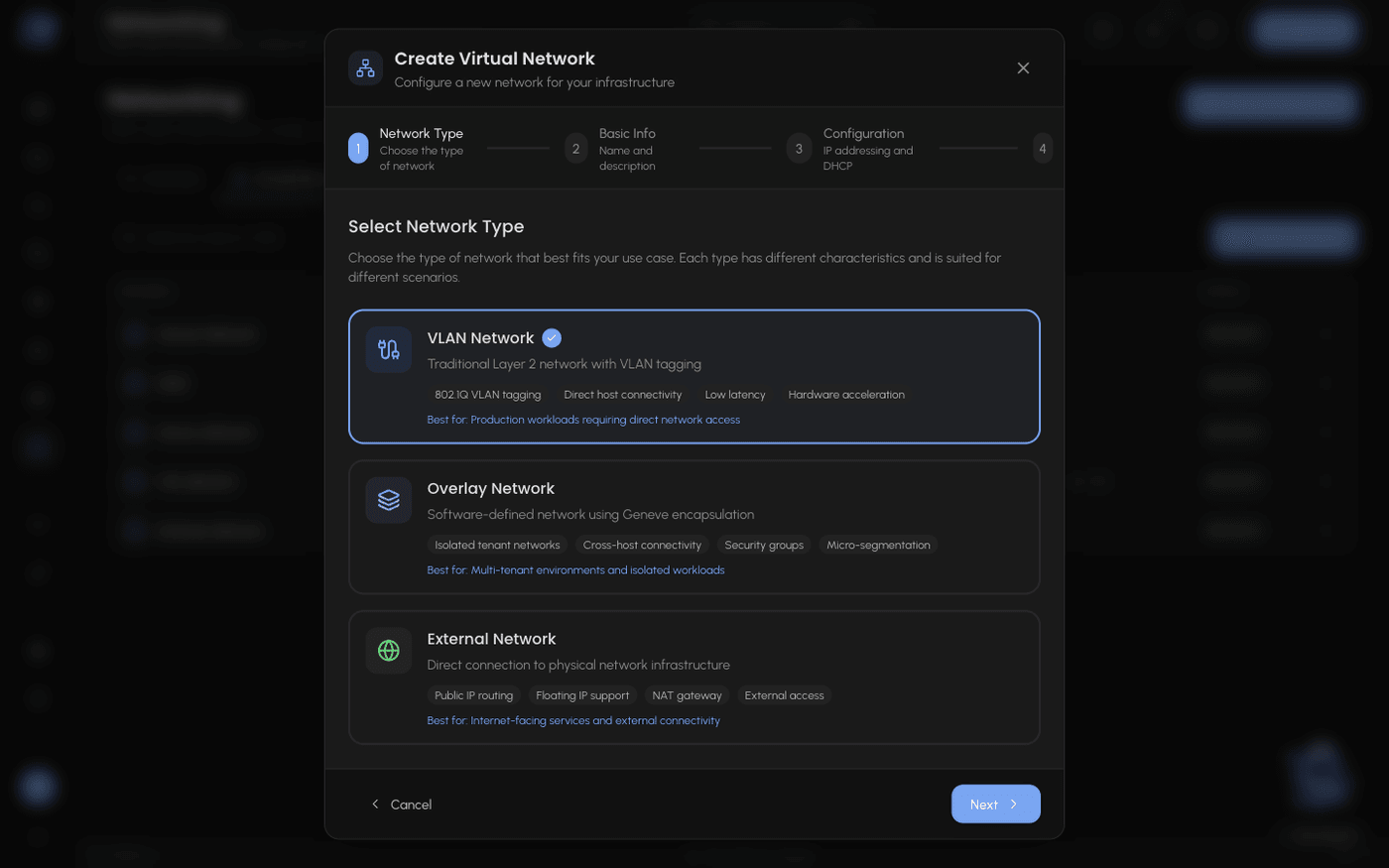
Network Type — choose VLAN Network, Overlay Network or External Network, then click Next. The type pages explain which to pick: Overlay, VLAN, External.
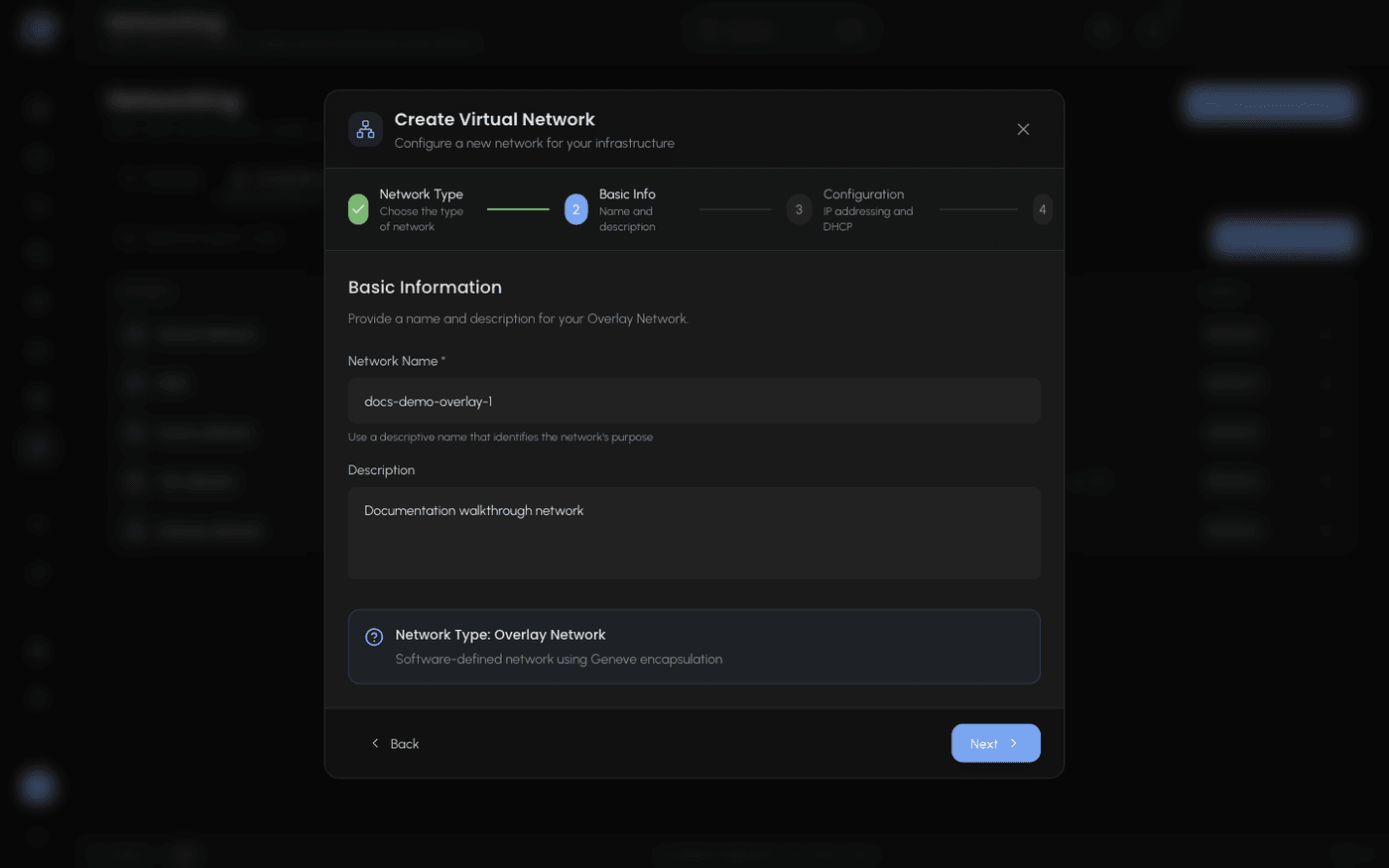
Basic Info — enter a Network Name (required, up to 64 characters) and an optional Description. Click Next.
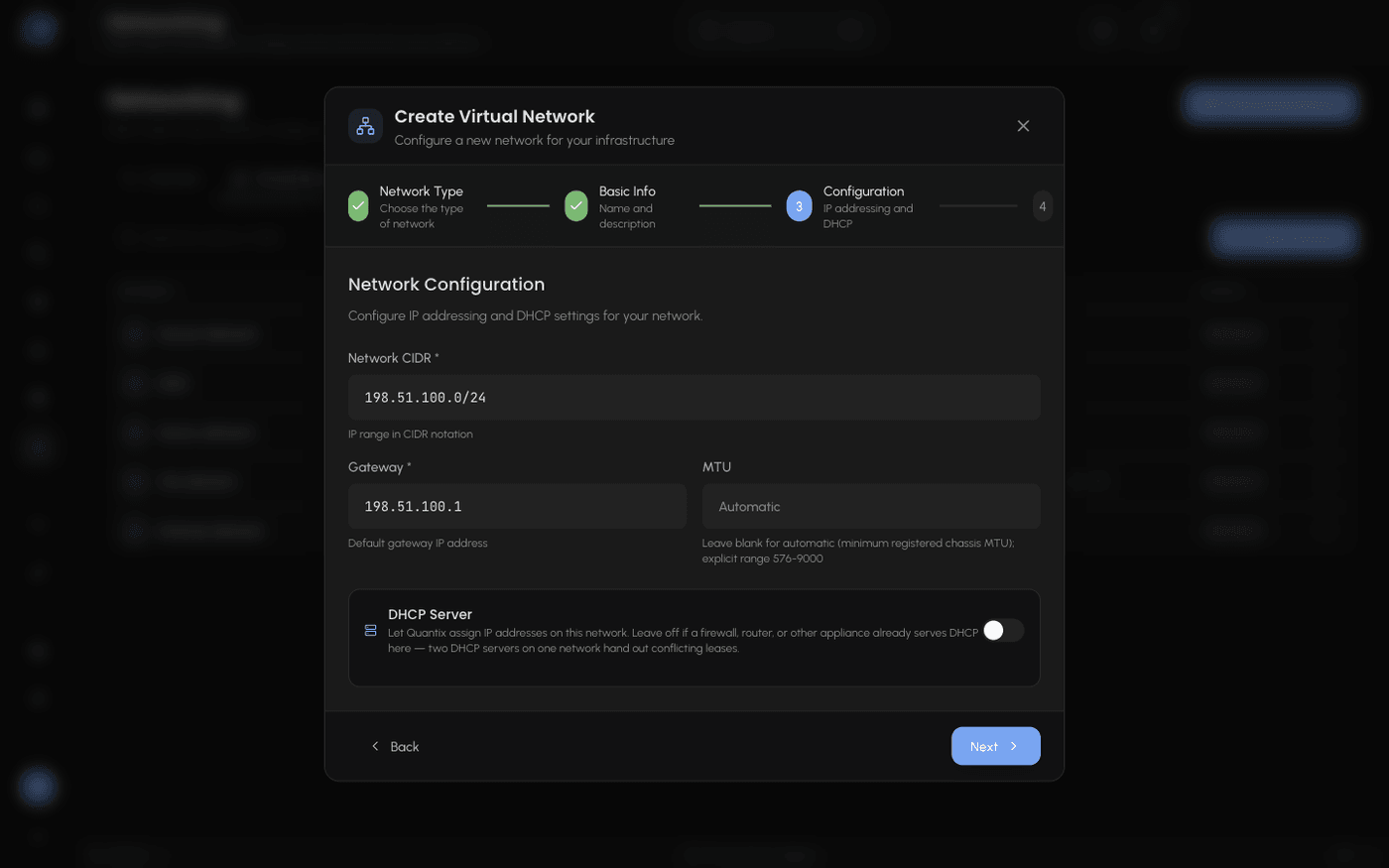
Configuration:
- VLAN ID (VLAN networks only, 1–4094) and Fabric (VLAN and External networks) — see the type pages;
- Network CIDR, using the subnet's network address, for example
198.51.100.0/24. A Gateway ending in.1is filled in for you; check that it is a usable address inside the subnet, and change it if your gateway is elsewhere or your subnet does not start at.0; - MTU — leave blank for automatic: the smallest MTU your hosts support for an overlay network, 1500 for the other types. An explicit value must be between 576 and 9000;
- DHCP Server — off by default. Quantix DHCP serves VMs on overlay networks; turn it on when nothing else on the network hands out addresses. Two DHCP servers on one network hand out conflicting leases. On an overlay network, you can also set DHCP Range Start and DHCP Range End to limit the addresses Quantix assigns. Leave both empty to use the subnet's full usable range. Enter an ascending range inside the subnet's usable address range, and leave the gateway outside it. VMs on VLAN and External networks are bridged onto your physical network and get their addresses from it.
Review — check the summary and click Create Network.
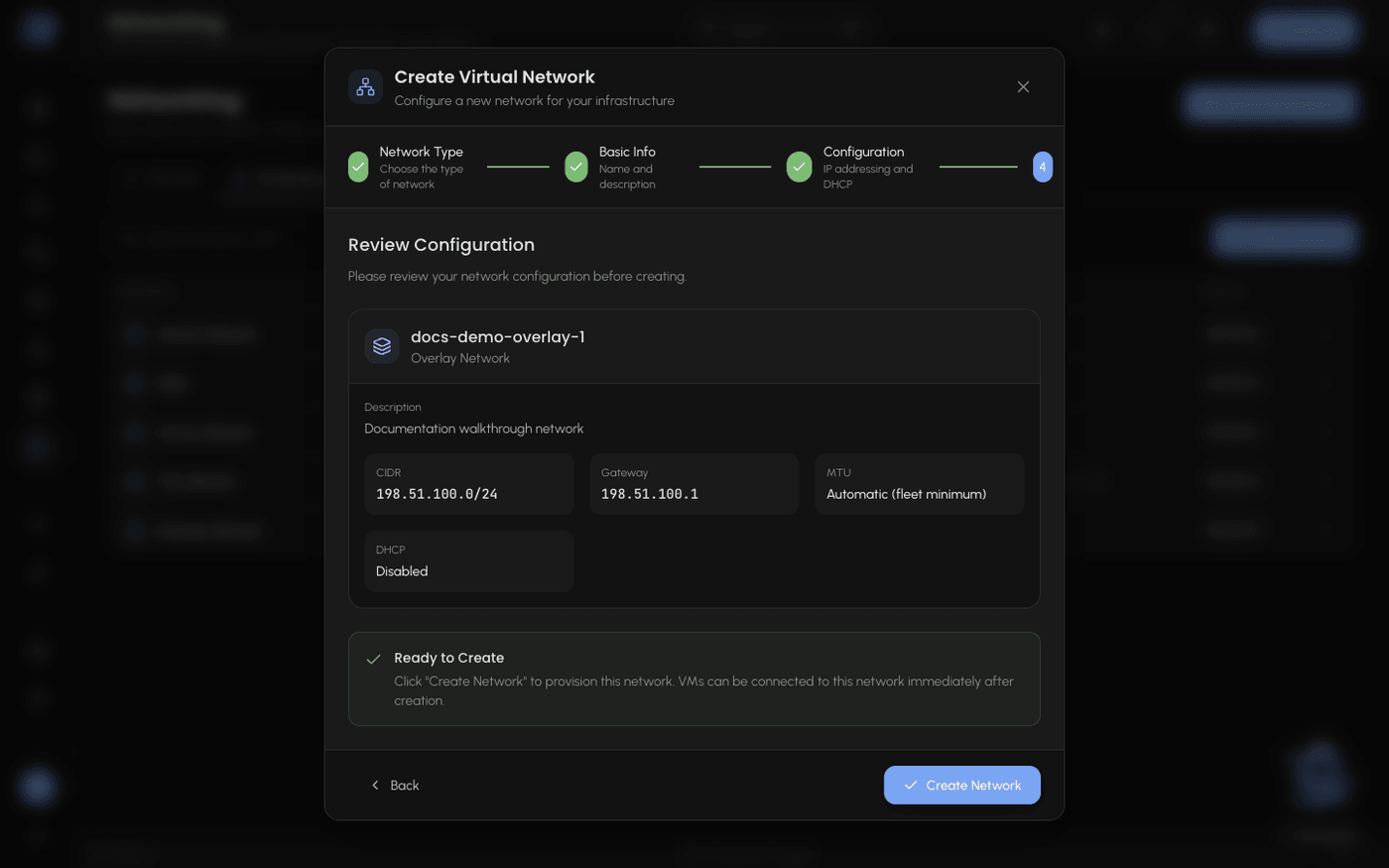
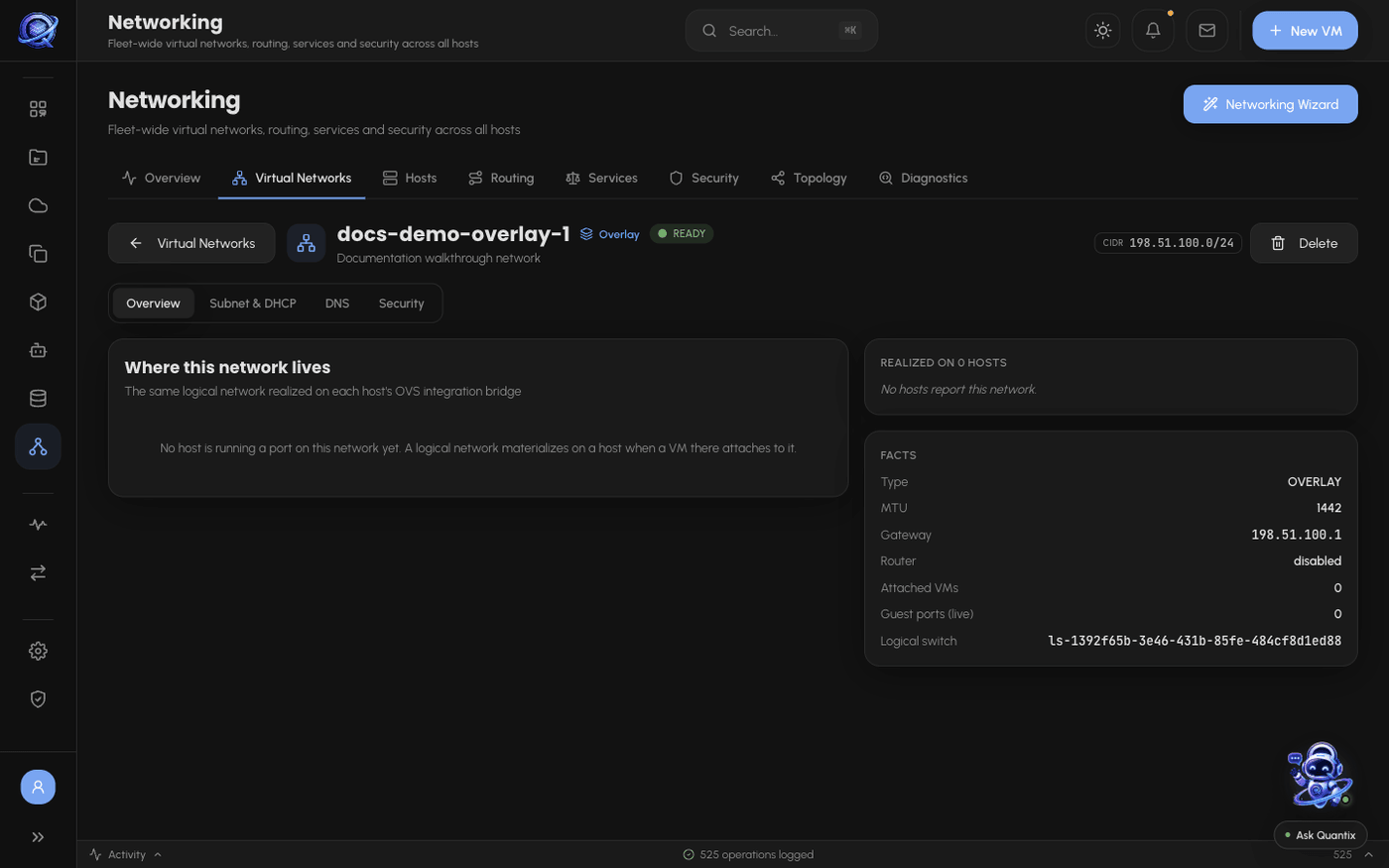
Expected result: a confirmed network shows Network "…" created successfully and status READY. If no connected host can carry it yet, the configuration is saved as PENDING, with the hosts it is waiting for shown in its status. For an overlay network, Realized on reads not realized until a VM on some host connects to it — the network only materializes on a host when a VM there uses it. VLAN and External networks always read not realized here, because their VMs are bridged straight onto the physical network.
Inspect a network
Click a network's row (or right-click it and choose Show details). The network page has four tabs:
- Overview — Where this network lives (for an overlay network, the hosts that carry it and the number of VMs on each), and Facts: Type, VLAN ID (VLAN networks), MTU, Gateway, Attached VMs and live guest ports.
- Subnet & DHCP — the subnet, the usable range and address usage, and the DHCP settings.
- DNS — the DNS servers handed to VMs (see DNS settings).
- Security — the security groups in force on this network (see Security groups).
Change the subnet, MTU or DHCP settings
- Open the network and go to Subnet & DHCP, then click Edit.
- Under Subnet, change the CIDR, Gateway or MTU if needed. The CIDR must be the network address of the prefix (for example
198.51.100.0/24, not198.51.100.5/24). An MTU of0lets Quantix pick the right value for the network type. - Under DHCP, tick Serve DHCP on this network from OVN to have Quantix hand out addresses, and set:
- Pool start and Pool end — leave both empty to use the whole subnet;
- Reserved addresses — comma-separated addresses that are never handed out, for devices that already use them;
- Lease time (hours).
- Click Save changes.
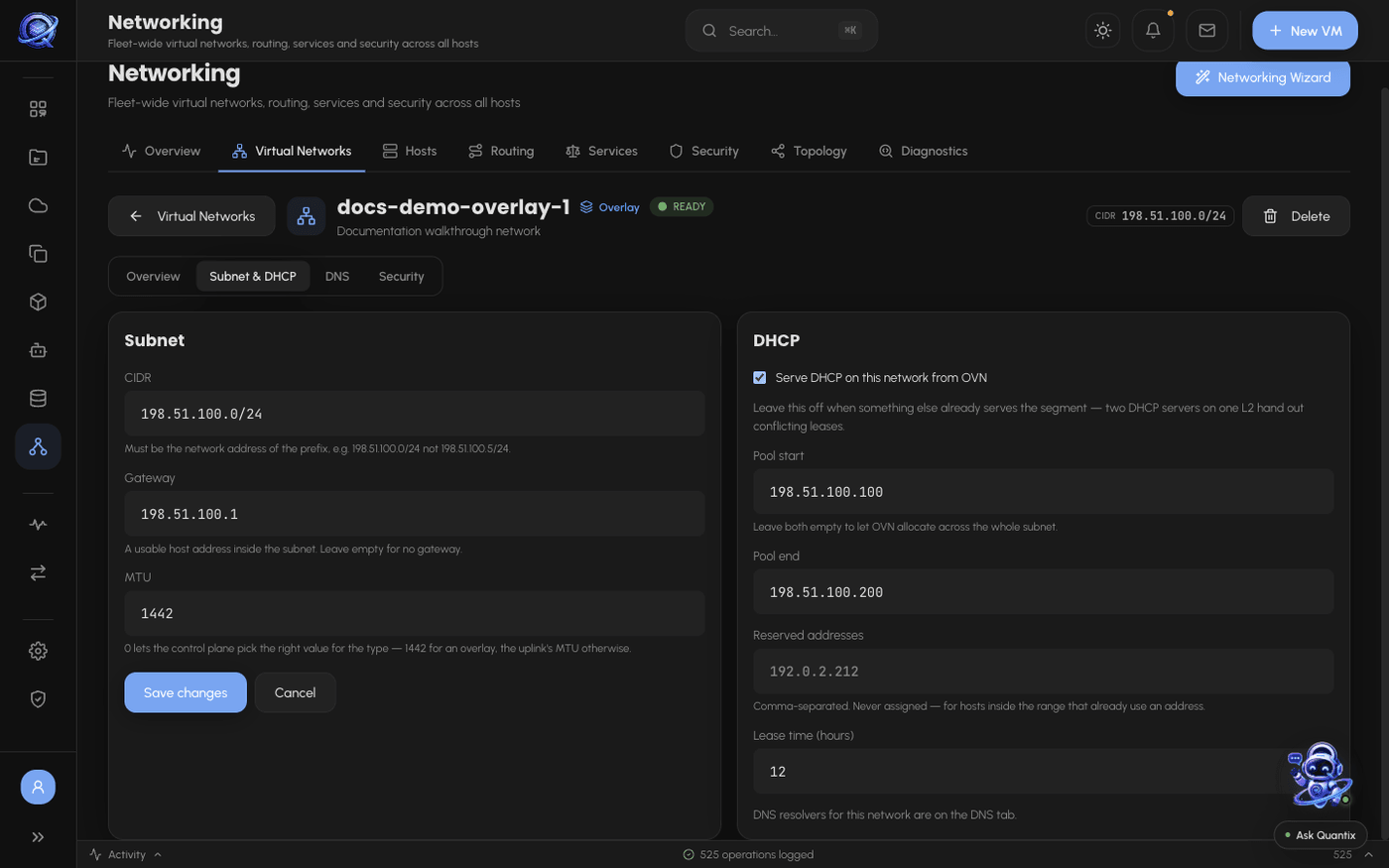
Expected result: the DHCP card shows Enabled with the pool and lease time you set.
With DHCP off, the same card asks for a Runtime address range instead: the range Quantix assigns fixed addresses from to container runtimes on this network. Keep it outside any other DHCP server's pool on that segment.
Connect VMs to a network
You choose a network for each network adapter when you create a VM, and you can add, move or disconnect adapters on an existing VM from its Network tab. See Virtual machines.
Delete a network
- On Networking → Virtual Networks, right-click the network and choose Delete virtual network (or open it and click Delete).
- Confirm with Delete network. From the list, the confirmation says how many VMs are attached to the network.
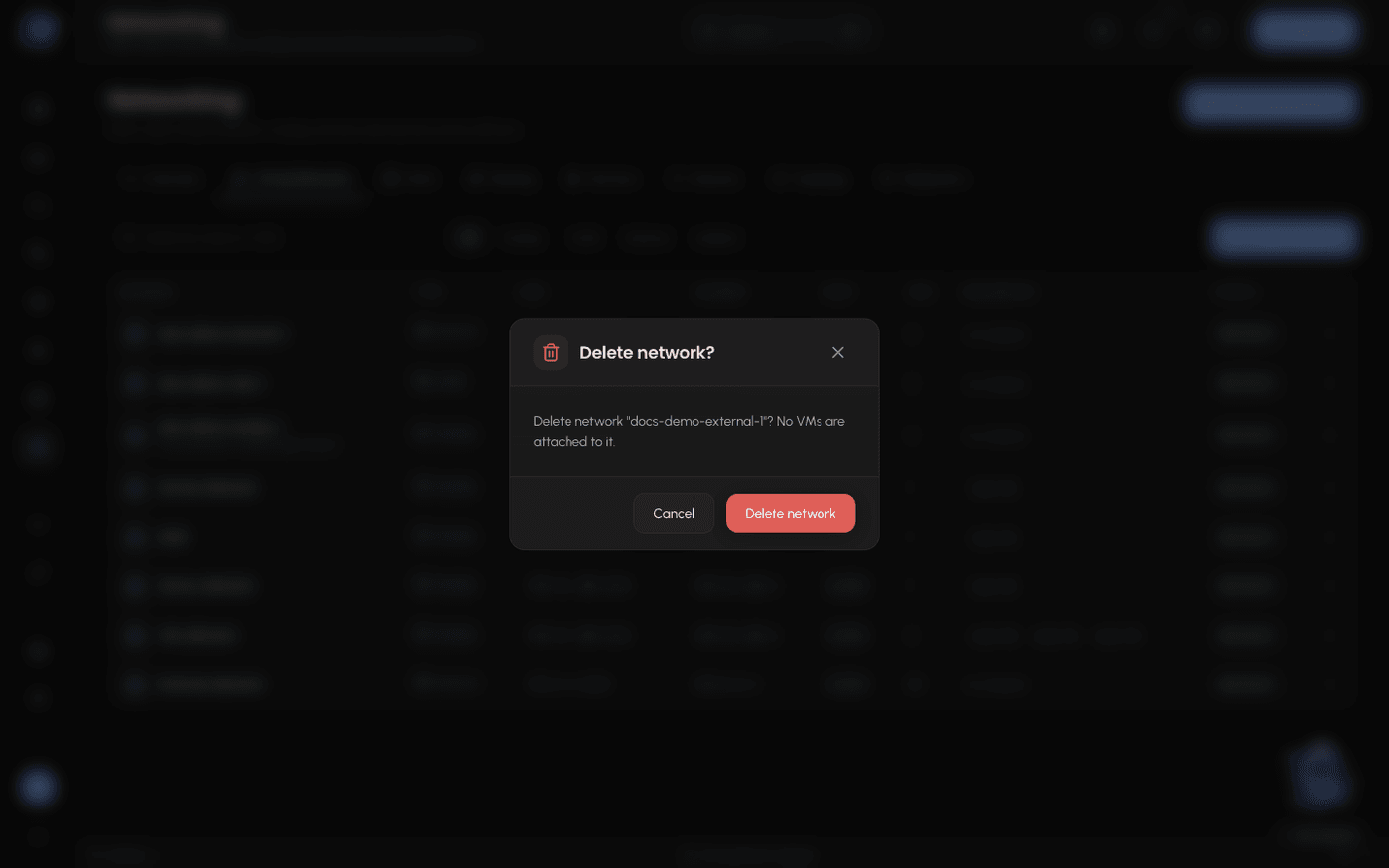
A network that VMs still use is not deleted — the error names those VMs. Move their adapters to another network first. A network that is a cluster's default network cannot be deleted until you set a different default.
Troubleshooting
| Symptom | What to do |
|---|---|
| Network name is required, CIDR is required, Gateway is required | Fill in the field; each is mandatory. |
| Invalid CIDR format | Enter the subnet as address/prefix, for example 198.51.100.0/24. |
| ipv4_subnet must use the network address … | Enter the network address of the prefix, for example 198.51.100.0/24, not 198.51.100.5/24. |
| ipv4_gateway … is outside ipv4_subnet … | The gateway must be a usable address inside the subnet. |
| MTU must be between 576 and 9000 | Leave MTU blank for automatic, or enter a value in that range. |
| Status ERROR or PENDING | The control plane could not program the network. Check Networking → Overview → Needs attention and Network health and diagnostics. |
| Realized on stays not realized | Normal for VLAN and External networks, and for an overlay network until a VM on some host connects to it. |
| VMs get unexpected addresses | Another DHCP server answers on the same segment. Turn Quantix DHCP off, or turn the other server off. |
| VMs get no address | DHCP is off on this network and nothing else serves it. Turn DHCP on, or give the VMs static addresses (for example with cloud-init). |