

Large environment view
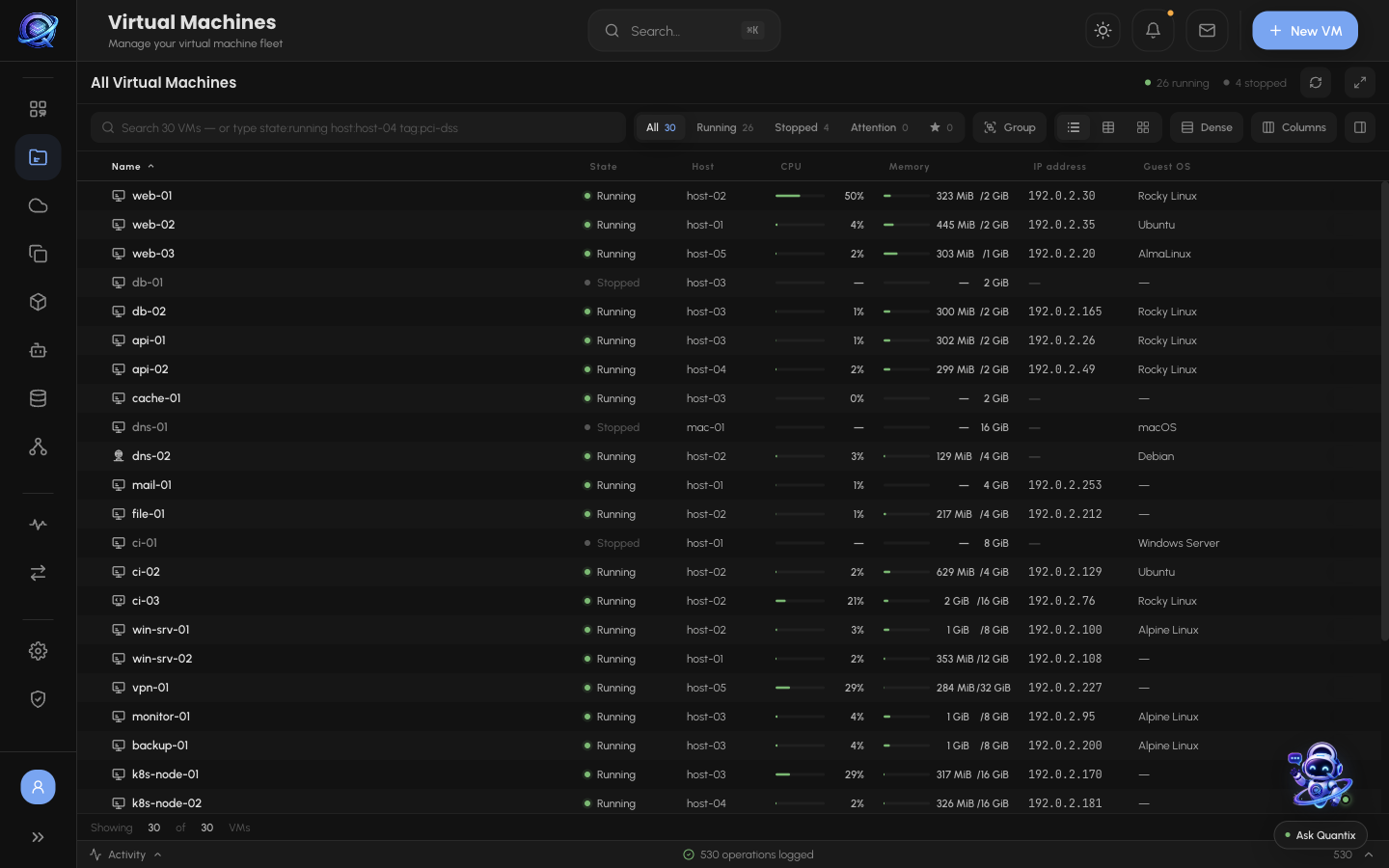
By default, VM List and Folder View show VMs in the classic layout, which works well for up to a few hundred VMs. The Large environment view switches both pages to a dense, spreadsheet-like inventory built for managing 1,000 VMs and more: only the rows on screen are drawn, so scrolling stays fast. The VMs, their details and their actions are the same in both views — only the layout changes.
Turn it on or off for yourself
- Open Settings and select the Appearance tab.
- Turn Large environment on or off.
The change applies straight away. Like your other appearance settings, it is kept in your browser for your account; see Personal settings.
When your administrator has set it for everyone
An administrator can override everyone's choice under Admin Panel → System → Organization → Interface (Large environment UI): User choice lets each person decide, while Always on and Always off apply to everyone. See Organization settings.
When the layout is set for everyone, your Large environment switch shows the enforced value with the note Enforced by your administrator, and changing it has no effect.
If Quantix cannot read your organisation's setting, for example during a short interruption, it uses your own choice rather than switching your layout.
Work with the large environment view
In VM List and Folder View, the large environment view adds:
- a search box that also accepts filters, for example
state:running host:host-04 tag:pci-dss; - quick filters All, Running, Stopped, Attention, Quantix-managed (the VMs Quantix runs itself) and ★ (favourites), each with a count;
- grouping by Folder, Host, Cluster, Power state or Guest OS;
- a choice of list, table or tile view, row density (Ultra, Dense, Comfy) and, in the table, the Columns shown;
- a details pane beside the list;
- actions on many selected VMs at once from the selection bar.
A VM on a host that is not reporting shows an unknown status rather than its last known power state.
Troubleshooting
The switch doesn't change anything — look for Enforced by your administrator next to it: your administrator has set the layout for everyone.
My choice is gone on another computer — the preference is kept per browser. Turn it on again there.