

DNS settings
Quantix does not run a DNS server of its own. What you configure is which existing DNS servers — a public resolver, your site's DNS, or a DNS VM you run yourself — are handed out:
- per virtual network, to the VMs on it, in their DHCP lease;
- per host, for the host itself.
Set the DNS servers for a virtual network
These resolvers reach VMs through Quantix DHCP, so they apply to networks where Serve DHCP on this network from OVN is on — typically overlay networks. VMs on a network without Quantix DHCP keep the DNS servers configured in the guest (or handed out by your own DHCP server).
- Go to Networking → Virtual Networks and open the network.
- Select the DNS tab and click Edit.
- Enter the Resolvers as comma-separated IP addresses, for example
198.51.100.53, 203.0.113.53. Leave the field empty to let VMs keep whatever their image ships with. - Click Save changes.
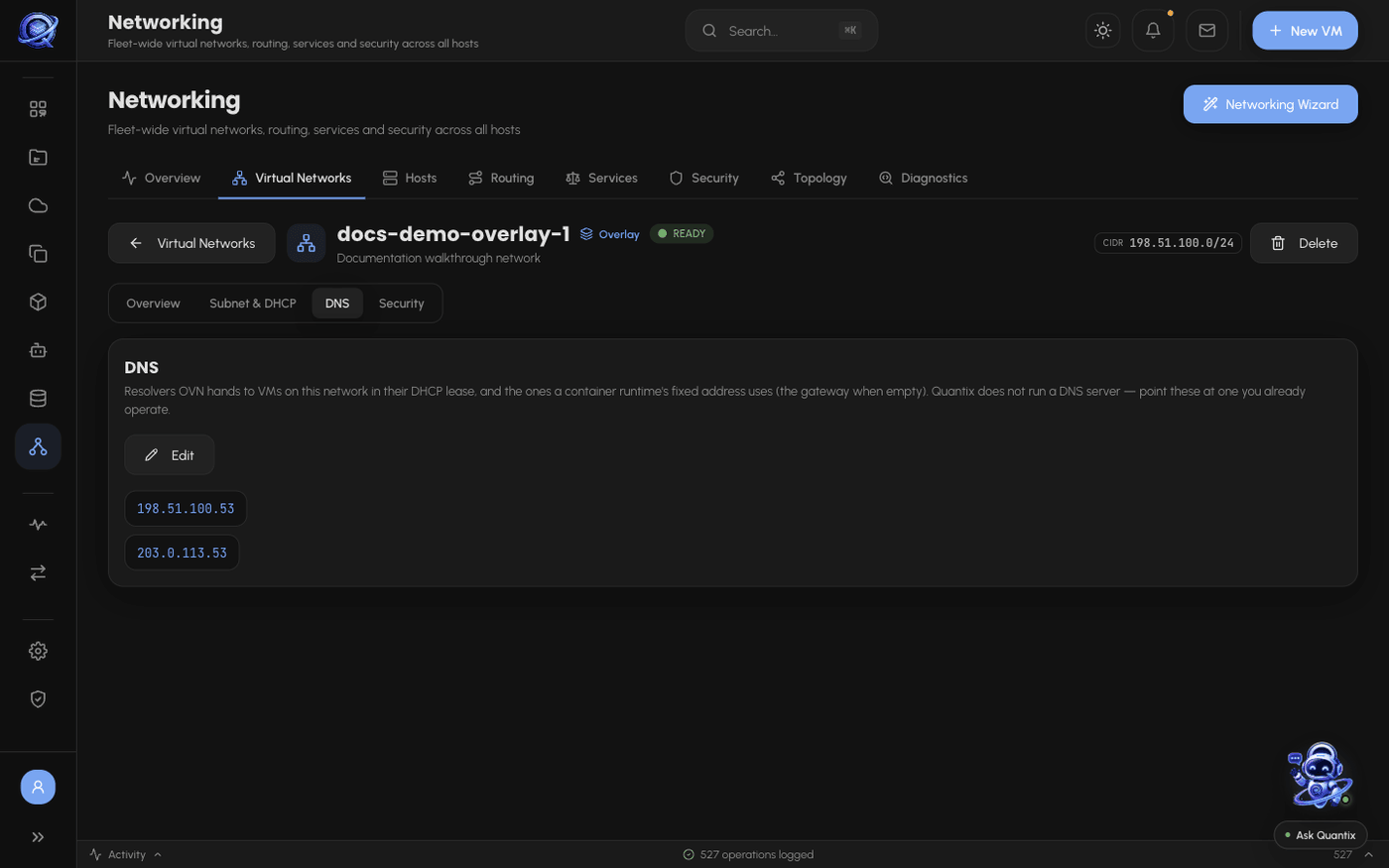
Expected result: the DNS tab lists the resolvers. VMs pick them up the next time they renew their DHCP lease (restart the VM's network, or the VM, to apply them at once).
If DHCP is off on the network, the tab warns that ordinary VMs never receive these resolvers — set them in the guest instead. Container runtimes that get their address from Quantix on that network do receive them.
When you create a network with the Networking Wizard and choose Managed by Quantix, you can enter the DNS servers in the same step.
Set a host's DNS servers
A host's own DNS servers are set on the host, in its Host UI (https://<host-address>:8443):
- Go to Networking → Physical Networking and select DNS & Identity.
- Click the DNS Servers card. The DNS Configuration dialog opens.
- Enter each server under DNS Servers (use Add DNS Server for more) and, optionally, Search Domains (Optional) (use Add Search Domain).
- Click Save.
On the same tab, the Hostname card opens Set Hostname. Use lowercase letters, numbers and hyphens only.
Troubleshooting
| Symptom | What to do |
|---|---|
| VMs do not get the resolvers you set | Check that Serve DHCP on this network from OVN is on (Subnet & DHCP tab), then renew the VM's lease. On networks without Quantix DHCP, set DNS in the guest. |
| Names do not resolve even though the resolvers arrive | Quantix only hands the addresses out. Check that the DNS servers are reachable from the network — an overlay network needs a gateway VM for that (see Overlay networks). |
| VMs on an overlay network cannot resolve each other by name | Quantix does not register VM names in DNS. Run a DNS server on the network, or use addresses. |