

Persistent storage
A container's own file system is temporary: anything written there is lost when the instance is replaced. Give the application persistent storage for data it must keep, such as uploads, a database or saved files. Stateless applications, such as a web server that only serves files baked into its image, do not need it.
On capacity managed by Quantix, persistent storage lives on the disk of the capacity's machine, which is kept on the storage pool chosen when the capacity was set up. All volumes on a capacity share that disk (80 GiB on the Standard size) with the capacity's own software and retained logs.
Add storage when you deploy
In the Deploy wizard, step A few questions:
- Answer Yes to Does it keep data of its own?
- Set Folder inside the container to the path the application writes to, for example
/var/lib/postgresql/data. Default:/data. - Choose the Space: 1, 5, 10 (default), 20, 50 or 100 GiB.
Add or change storage later
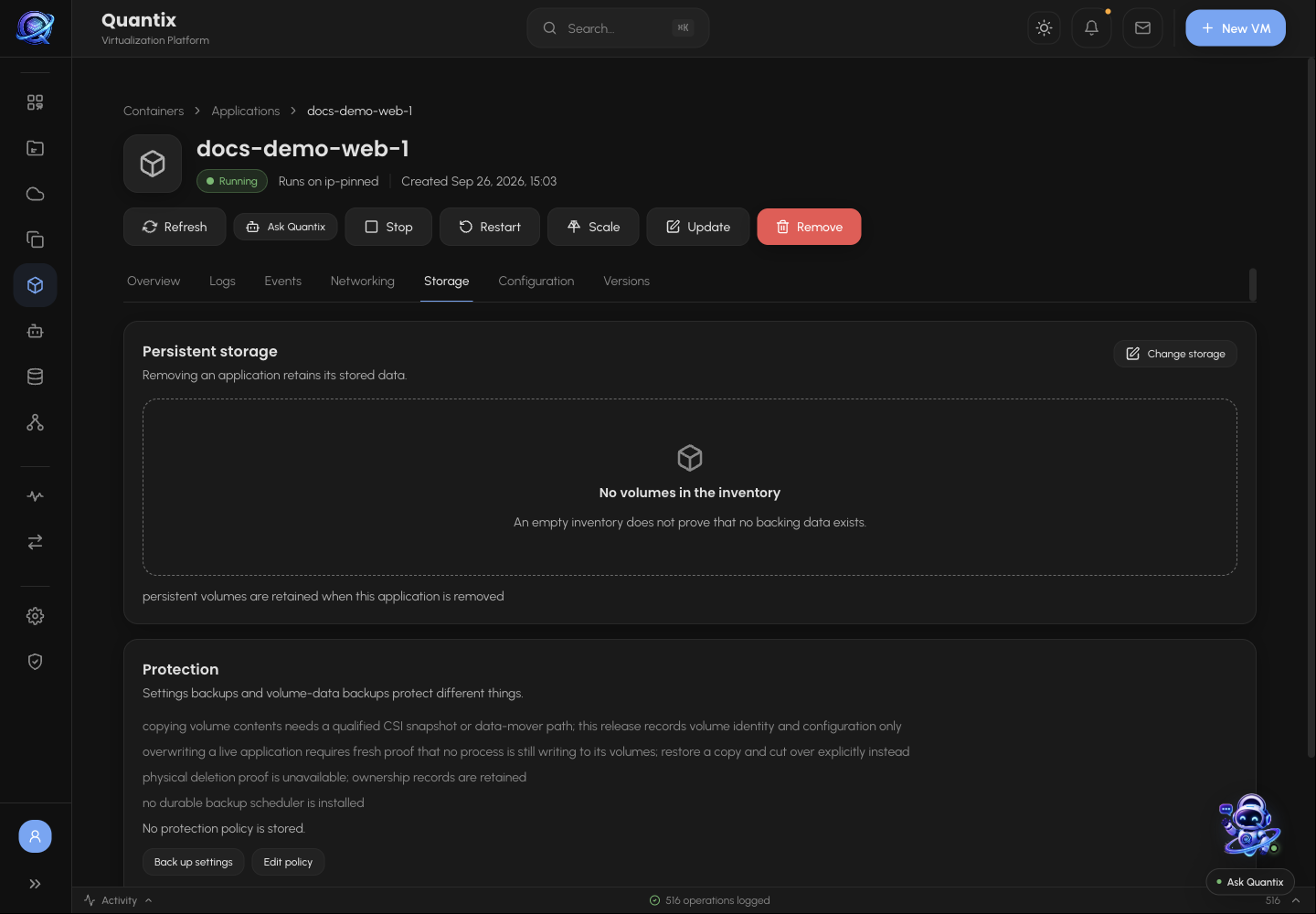
- Open the application and choose the Storage tab, then Change storage. The update editor opens at its Storage step.
- Click Add storage and fill in Name, Mount path and Size (GiB) (at least 1). Add more volumes the same way, up to 10 per service.
- Click Continue until Review, then click Apply update.
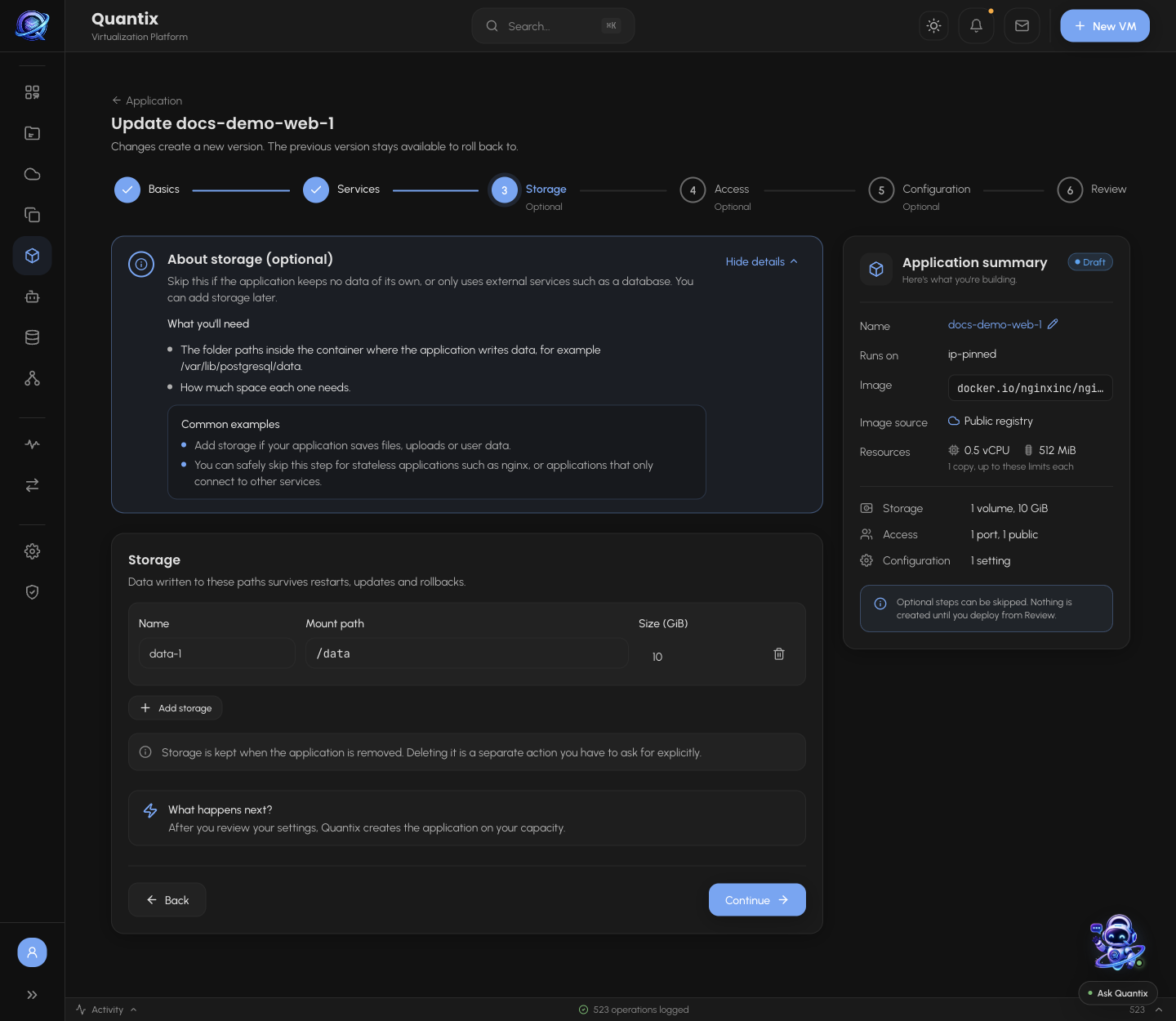
Each update creates a new version of the application. See Manage an application.
See an application's storage
The Storage tab lists each volume with its Requested size and Retention. Used space shows Not measured: Quantix reports the size you asked for, not how much of it is in use.
What happens to the data
| When you… | The data… |
|---|---|
| restart the application, update it or go back to an earlier version | is kept. Data written to the storage paths survives restarts, updates and rollbacks. |
| scale a service that keeps data (answer Yes in the Deploy wizard) to more instances | is not shared: each new instance gets its own, new volume. |
| scale a service to 0 instances | is kept. |
| remove the application | is kept. Removing an application retains its stored data, and Quantix cannot delete it afterwards. |
Going back to an earlier version restores the configuration and images, not the data: it does not undo changes the application made to its own files, and it does not reverse a database upgrade.
Limits
- The size you request is a budget, not a hard limit: Quantix does not reserve it or stop the application at it. What actually limits the data is the free space on the capacity machine's disk, shared by every volume on that capacity.
- A volume cannot be made larger after it is created.
- A service deployed without data (answer No in the Deploy wizard) can only have storage while it runs a single instance. Deploy with Yes if it will need several instances with their own data.
- Up to 10 volumes per service.
- Backups of an application record its configuration, not the contents of its volumes. Protect important data inside the application as well, for example with the database's own backups.
Troubleshooting
| What you see | What to do |
|---|---|
| A mount path starts with /. | Enter a full path, for example /data. |
| Two volumes mount at a path | Give each volume its own mount path. |
| No volumes in the inventory | The application has no persistent storage. Add some with Change storage. |
| The application lost its files after a restart | It wrote outside its storage folder. Check the folder the image writes to and set that as the mount path. |