

Ask Quantix about containers
The Quantix Assistant answers questions about your container applications and capacity in plain language. It reads the current state itself, with your own permissions, so its answer reflects what is running now. It cannot see anything you are not allowed to see.
Ask about the page you are on
Container pages have an Ask Quantix button that opens the assistant and asks it a question about what is on screen:
| Where | Question it asks |
|---|---|
| An application's page, top of the page | Look at this application and tell me what state it is in and what needs attention. |
| An application's Overview tab, Troubleshoot panel | Diagnose this application and propose a specific fix with its effects. |
| A capacity's page | Check the health of this container capacity and tell me what needs attention. |
- Open the application or capacity and click Ask Quantix.
- The Quantix Assistant panel opens and starts answering. Used n tools shows what it read; click it to see the details.
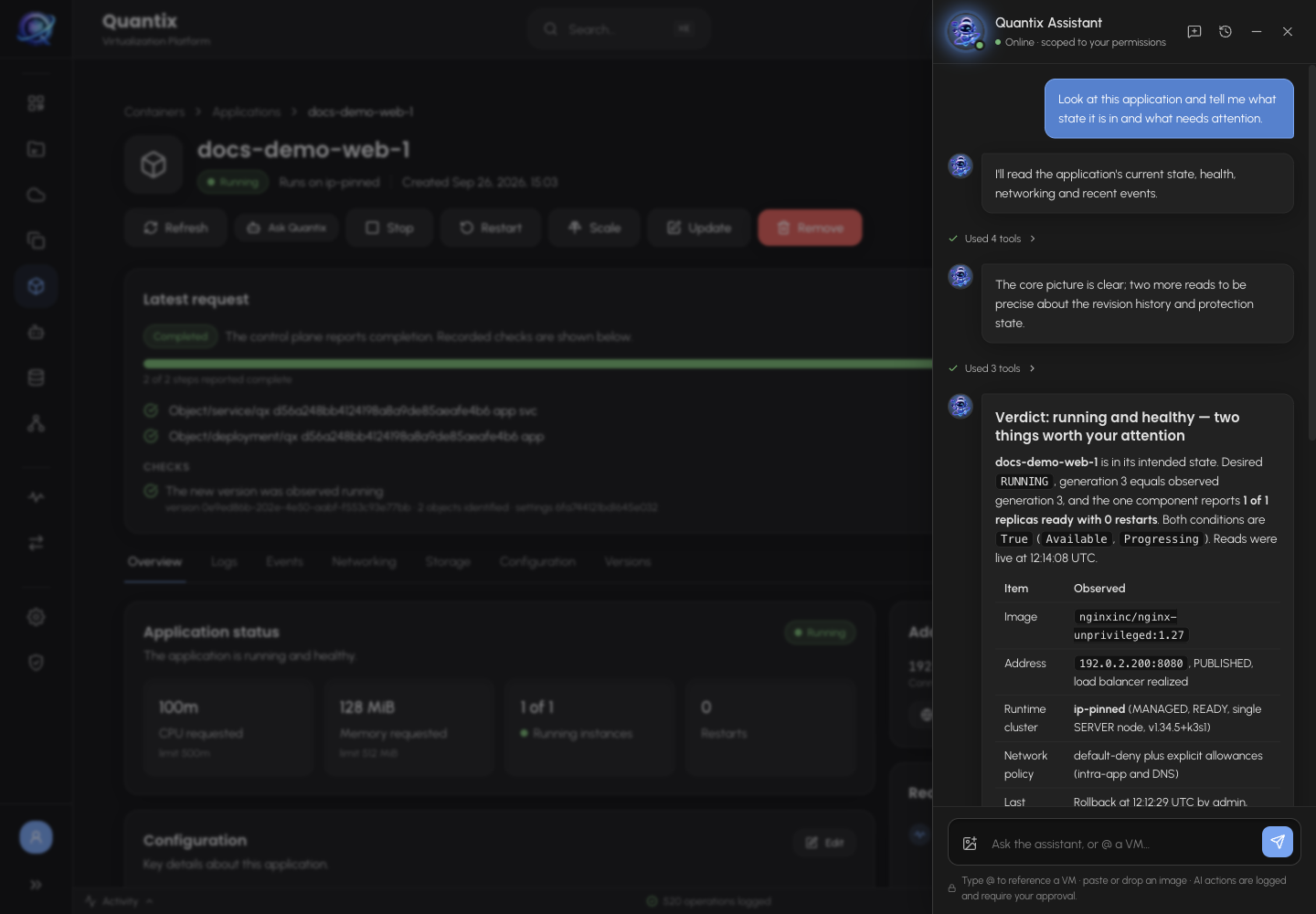
Expected result: a verdict (for example running and healthy) followed by what needs your attention, such as a single instance with no redundancy, and any limits on what it could confirm, such as an address that has not been tested.
Ask your own questions
Type in the box at the bottom of the panel, for example:
- "Which container applications do I have, what capacity does each run on, and what is its address?"
- "Open the container Capacity page."
The assistant can list your applications with their state, capacity and address, explain their events and recent changes, and open a page you name, such as the container Capacity page. You can also open it at any time with the Ask Quantix button in the bottom corner of every page, or from Assistant in the sidebar.
Changes need your approval
The assistant can propose a change, such as scaling an application. Actions are logged and require your approval: it shows what the change would do and waits for you before anything happens.
Good to know
- The assistant says what it could not confirm. For example, it reports an address as allocated, not as reachable, because Quantix does not test it. See Application addresses.
- It does not accept Kubernetes manifests. Use the Deploy wizard instead.